Physical Address
304 North Cardinal St.
Dorchester Center, MA 02124
Physical Address
304 North Cardinal St.
Dorchester Center, MA 02124

Website security is a very important topic in today’s digital age, as websites have become increasingly vulnerable to hacking and data theft. All website owners need to take appropriate steps to ensure their websites and their users are safe.
SSL certificates form one of the most important aspects of website security.
In this blog, we’ll explain what an SSL certificate is and why it’s essential for your website.
SSL stands for Secure Sockets Layer. SSL certificate is a digital certificate that secures websites with a security protocol. Simply put, it ensures that all information that is transferred between the web server and the browser is encrypted and thus provides security for important data like credit card information and other sensitive information.
The functioning of an SSL certificate becomes easy to understand if one tries to comprehend it step by step. This procedure is known as the SSL/TLS Handshake.
Steps involved
1. The user opens the webpage in his browser.
2. The browser requests a secure connection.
3. The server provides the SSL certificate to the browser.
4. The browser checks that the certificate is issued by a trusted Certificate Authority.
5. The browser and the server decide on encryption keys.
6. All data transfer takes place in an encrypted manner.
Use of Public and Private Keys
SSL makes use of public key cryptography. It involves the use of two keys by the server.
Whenever the user’s browser passes sensitive information, it gets encrypted by making use of the server’s public key. Only the server’s private key can decrypt the data.
A website needs an SSL certificate for several reasons that go beyond basic encryption.
SSL encrypts information between the browser and the server, helping prevent data from being intercepted on public Wi Fi networks, shared office networks, or compromised internet connections.
Visitors feel more secure using websites with the secured padlock icon. This can be of great importance to small businesses, consultants, and bloggers, where the website’s credibility could lead to inquiries and leads.
Google has officially announced that HTTPS is one of the signals used for website ranking. Although SSL alone won’t make your website rank among the first ones, it will definitely improve the quality of your website.
If your website accepts online payments, SSL is essential for meeting PCI DSS requirements and protecting customer payment information.
Without SSL, visitors may see alarming security messages before they can access your site. Many users leave immediately when they encounter these warnings.
There are several types of SSL certificates, each designed for different levels of validation and use cases.
Domain Validation certificates are the most basic SSL certificates. They verify that you own or control the domain name associated with your website.
The process requires little verification, typically just verifying domain ownership by email or by DNS records. DV certificates are the fastest and cheapest of all kinds of certificates, and are perfect for small websites or blogs that don’t require customers to submit highly sensitive data. They offer encryption and HTTPS protection but do not provide much validation of the organization; visitors can’t know who owns the site other than by the presence of the secure padlock icon.
Key points about DV Certificates:
• Fast issuance process
• Cost-effective option
• Validates domain ownership only
• Suitable for informational websites or blogs
• Provides basic encryption but limited trust indicators
To summarize, DV certificates are great for securing non-sensitive sites quickly without a large investment, but they may not inspire high levels of trust among visitors who need reassurance about organizational legitimacy.
Organization Validation certificates provide a higher level of validation by checking domain control and legitimate business information. When performing this validation, CAs check your company’s identity via official documents and databases before issuing the certificate. OV certificates show organizational information in browsers’ security information — and help you build trust with visitors who want to know they’re dealing with a real entity.
Main features include:
• Verification of the organization’s legal existence
• Display of organizational info in browser security details
• Slightly longer issuance time compared to DV
• Suitable for commercial websites handling sensitive customer data
• Enhances visitor confidence beyond just encryption
Choosing OV certificates benefits businesses aiming to establish credibility while ensuring data encryption standards are met.
An Extended Validation certificate is the top-tier SSL/TLS certificate type that provides the highest degree of identity verification. Before issuing it, the certificate authority performs an exhaustive review of the organization’s data and other information to ensure that there are no inconsistencies. After that, upon the certificate’s installation, users will be able to see the organization’s details.
Features include:
• Extensive validation procedures
• Visible trust indicators in browsers
• Ideal for e-commerce sites or financial institutions
• Significantly boost customer confidence
• Usually involve higher costs due to comprehensive validation
EV certificates are great for organizations that engage in high-risk transactions or are looking to instill the most security they can in their users.
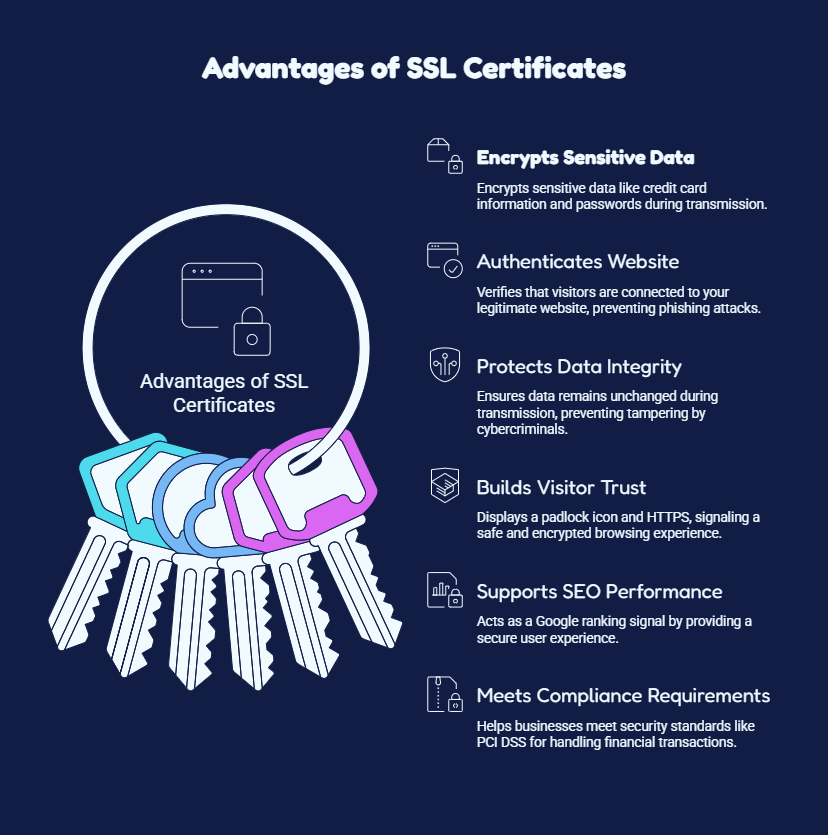
The advantages of an SSL certificate are much greater than simply protecting your web page visitors from eavesdropping on their communications. In addition to providing encryption for all your website traffic, an SSL Certificate will protect any sensitive information that is being transmitted across your website, enhance the confidence that consumers have in your company when they visit your website, increase your overall reputation as a reputable business, and provide search engine optimization (SEO) visibility.
Data encryption is one of the key advantages of having an SSL certificate. It encrypts sensitive data (including credit card and personal data, passwords, etc.) so that it is impossible to read when the data is passed from the user’s browser to your web server.
An SSL certificate verifies that visitors are connected to your legitimate website rather than a fraudulent or malicious copy. This authentication process helps prevent phishing attacks and gives users confidence that they are interacting with the correct website.
SSL helps ensure that the data exchanged between the browser and server remains unchanged during transmission. This protection reduces the risk of cybercriminals modifying or tampering with information before it reaches its intended destination.
Using SSL on your site gives all visitors a visual indicator that their visit is safe and encrypted by displaying the padlock icon in conjunction with HTTPS in the address bar. Once your site has been verified as secure by these indicators, visitors will be much more willing to browse through your pages, fill out forms, and make purchases.
Google says HTTPS is a ranking signal, so SSL is a key part of modern SEO. While installing an SSL certificate alone won’t boost rankings, it does help provide a secure user experience, which search engines like when evaluating websites.
Many industries require secure data transmission to comply with regulations and security standards such as PCI DSS for online payments. An SSL certificate is often one of the first requirements for businesses that handle customer information or financial transactions.
If you’re wondering how to get an SSL certificate, you generally have a few options:
1. Through your web hosting provider: Many hosting companies offer free or discounted SSL certificates bundled with hosting plans.
2. Certificate Authorities (CAs): Organizations like DigiCert, Sectigo, and GlobalSign issue both free and paid SSL certificate authority-verified certificates.
3. Let’s Encrypt: A widely used, nonprofit CA offering free, automated SSL certificates — great for smaller websites and personal projects.
4. SSL Resellers and Third-Party Vendors: Many companies specialize in selling and helping install various SSL certificate types.
Once you’ve obtained your certificate, SSL installation typically involves generating a Certificate Signing Request (CSR), submitting it to your CA, and then installing the issued certificate files on your server — a process most hosting providers can guide you through or handle automatically.
This is a common question for businesses running load-balanced environments or multiple servers behind a content delivery network (CDN).
The short answer: yes, in most cases, but it depends on your certificate type and licensing terms.
Many Certificate Authorities allow you to install the same SSL certificate on multiple servers, especially if they all serve the same domain (common in load-balanced setups).
Some providers, however, charge additional “server licenses” or reissue fees if you deploy the same certificate across many servers.
Wildcard and Multi-Domain SSL certificates are particularly well-suited for multi-server environments, since they can cover several domains or subdomains from a centralized certificate.
It’s best to check your specific CA’s licensing policy, as practices vary between free and paid SSL certificate providers.
To get the most out of your SSL certificate and avoid common pitfalls, follow these best practices:
1. Choose the Right Certificate Type: Match your certificate to your website’s needs by choosing a simple DV certificate for a blog or an OV/EV certificate for eCommerce and financial websites.
2. Set Renewal Reminders: Avoid unexpected expiration by tracking renewal dates or enabling auto-renewal where possible.
3. Use Strong Key Lengths: Opt for at least 2048-bit encryption keys for stronger security.
4. Redirect HTTP to HTTPS: Ensure all traffic is automatically redirected to the secure version of your site.
5. Update Internal Links: Make sure all internal links, images, and scripts use HTTPS to avoid “mixed content” warnings.
6. Monitor Certificate Health: Regularly check for proper SSL certificate validation using tools like SSL checkers to catch configuration issues early.
7. Secure Your Private Key: Never share your certificate’s private key, and store it securely on your server.
The importance of an SSL certificate for a website is paramount and cannot be underestimated. An SSL certificate not only helps to secure the information on the website but also boosts the credibility of the website, increases its SEO rating, and prevents phishing. Thus, every website owner must invest in improving their website’s security and install an SSL certificate on their websites.