Physical Address
Ahmedabad, Gujarat
Physical Address
Ahmedabad, Gujarat

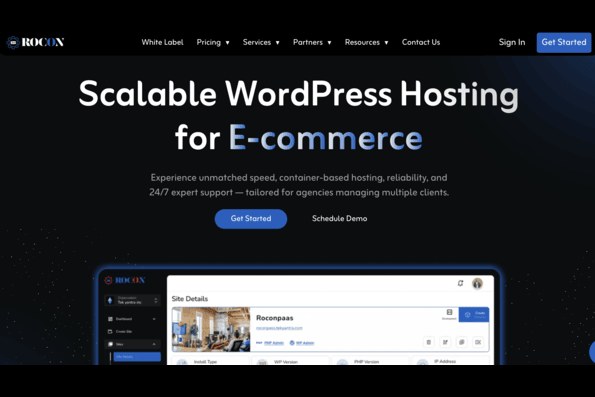
Picking a WordPress host gets harder once you move past the basic question of price. You have to look at the infrastructure, storage, backups, staging, security, support, migration, and what happens when your introductory rate ends.
Rocon takes a different approach from traditional shared hosting. Its WordPress platform uses containers, Kubernetes, AWS infrastructure, managed databases, and a Google-backed CDN.
But does that make it a good choice for your website? Here’s a closer look at Rocon’s pricing, features, strengths, and limitations.
I didn’t run a months-long hosting benchmark for this piece, and I’m not going to pretend I did. Hosting reviews full of invented TTFB charts are part of why people don’t trust hosting reviews.
What I did:
There’s a 30-day test plan you can run yourself during the trial. That will tell you more about your site on Rocon than any review can.
| Category | Score |
| Performance | 9 / 10 |
| Security | 8.5 / 10 |
| Ease of Use | 9 / 10 |
| Value for Money | 9 / 10 |
| Support & Track Record | 8 / 10 |
| Overall | 8.5 / 10 |
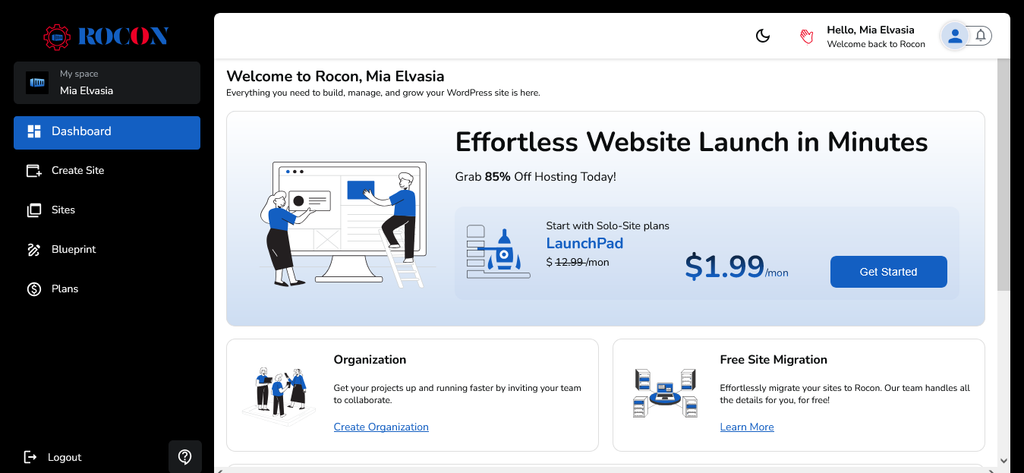
Rocon is a managed WordPress hosting platform built around containerized infrastructure. Each WordPress site runs inside an isolated container, while Kubernetes handles the underlying orchestration.
The platform also uses AWS compute resources and Amazon RDS for managed databases. A Google-backed CDN is used for content delivery, while the security setup includes a web application firewall and DDoS protection.
You don’t have to manage Kubernetes yourself. From the WordPress owner’s side, you get a hosting dashboard where you can manage your websites, staging environments, backups, migrations, and other hosting tasks.
That makes the infrastructure more interesting than the dashboard might initially suggest.
The plans are divided into solo-site plans and multi-site plans. The introductory annual prices are considerably lower than the standard monthly rates.
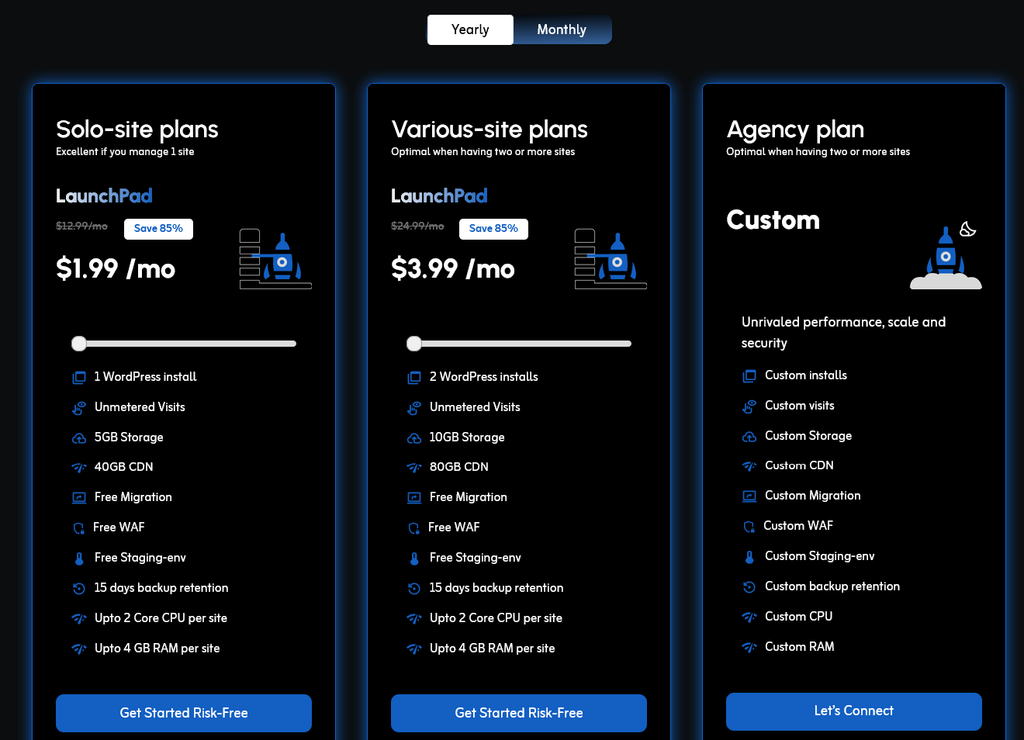
| Plan | Intro rate, yearly billing | Standard monthly rate | Storage | Bandwidth |
| LaunchPad | $1.99/month | $12.99/month | 5 GB | 40 GB |
| GrowthGear | $16.99/month | $19.99/month | 10 GB | 100 GB |
| Momentum | $66.99/month | $134.99/month | 10 GB | 300 GB |
| Booster | $199.99/month | $239.99/month | 15 GB | 600 GB |
Rocon also has plans for agencies and people managing multiple WordPress websites.
| Plan | Sites | Intro rate, yearly billing | Standard monthly rate | Storage |
| LaunchPad | 2 | $3.99/month | $24.99/month | 10 GB |
| GrowthGear | 5 | $69.99/month | $79.99/month | 20 GB |
| Momentum | 10 | $134.99/month | $159.99/month | 30 GB |
| Booster | 20 | $249.99/month | $299.99/month | 50 GB |
All plans list unmetered visits, free migration, a free WAF, a staging environment, a malware scanner, auto-healing and PHP 8.2 support. There’s also a custom Agency plan with no public price.
Here’s where Rocon sits against 3 well-known managed WordPress hosts. I’ve used regular prices, since intro deals change constantly.
| Host | Entry plan | Regular price | Storage | Bandwidth | Uptime SLA |
| Rocon | LaunchPad | $1.99/mo | 5GB | 40GB | 99.99% |
| Rocket.net | Starter | $30/mo | 10GB | 50GB | 99.99% |
| WP Engine | Essential | $28/mo | 10GB | 75GB | 99.98% |
| Kinsta | Single site | $30/mo | 10GB | 20GB | Up to 99.99% |
Competitor prices checked on their pricing pages on September 23, 2026.
The feature list is where Rocon gets more interesting. Every plan includes free migration, staging, a web application firewall, daily backups, unmetered visits, and 24/7 support according to the referenced review.
Rocon puts each WordPress site inside an isolated container. Kubernetes manages those containers, while AWS compute resources handle processing and Amazon RDS manages the databases.
For a website owner, the main point is resource isolation. You’re working with a hosting environment designed around individual WordPress sites rather than the typical shared-server setup.
That doesn’t guarantee that every WordPress site will be fast. Your theme, plugins, database queries, images, caching, and traffic still have a big effect. It does give Rocon a different technical foundation from basic shared hosting.
Rocon uses AWS compute-optimized infrastructure and Kubernetes auto-scaling. The combination is designed to handle changes in workload without requiring the customer to manage the underlying cluster.
This is particularly relevant for sites that experience uneven traffic. A small business website with 500 visitors a month probably won’t care much about Kubernetes. A site with traffic spikes, campaigns, WooCommerce activity, or several client projects may care quite a bit more.
Rocon uses a Google-backed CDN for content delivery. The Blog Recode review references Rocon’s claim of more than 100 global points of presence.
A CDN can reduce the distance between visitors and cached website content. The actual result still depends on your website and where your visitors are located.
The hosting plans include a WAF powered by Google Cloud Platform. The review also states that Rocon includes real-time malware scanning, automatic SSL support, and DDoS mitigation.
Having these controls at the hosting layer means you don’t have to build the entire security setup from WordPress plugins. You should still keep WordPress, themes, and plugins updated.
Daily automated backups are included across the plans. The retention period listed in the review is 15 days for the entry plans and 30 days for Momentum and Booster.
That’s useful if a plugin update breaks something or you need to recover an earlier version of a website. I’d still check exactly how restores work before relying on the backups for a business-critical site.
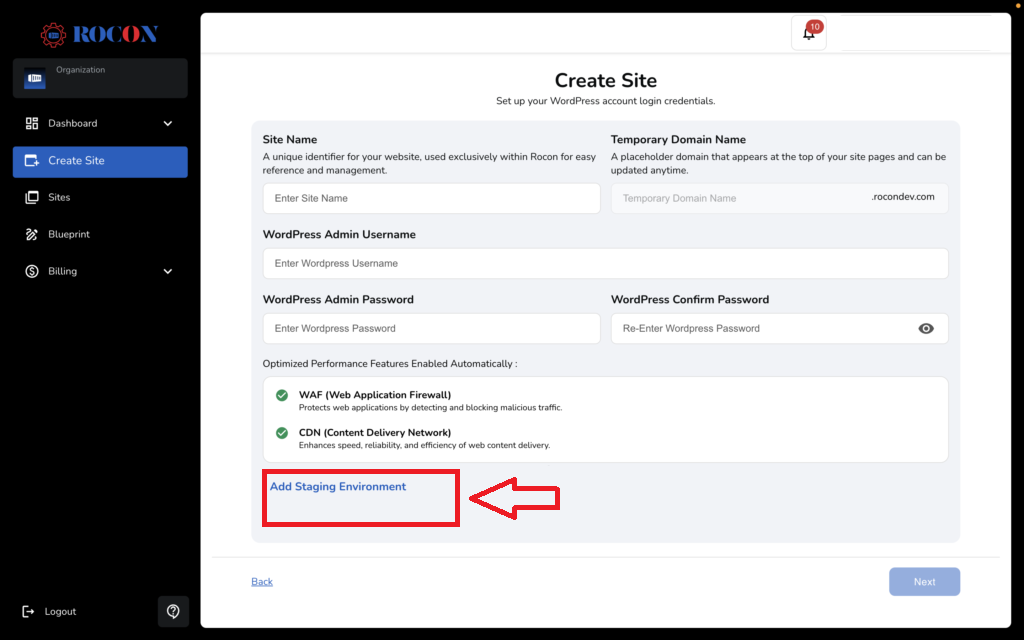
Rocon includes a staging environment. This is one of those features that becomes useful the first time a plugin update breaks a production website.
You can test theme changes, plugin updates, and other modifications before pushing them to the live site. For developers and agencies, this can save a lot of unnecessary troubleshooting on a live website.
Rocon provides free unlimited website migrations handled by its in-house migration team. That’s useful if you’re moving an existing WordPress website.
The practical advantage is that you don’t have to handle every database and file-transfer step yourself. I’d still keep a backup of your current host until the migrated website has been checked properly.
Rocon’s multi-site plans add features aimed at agencies. These include:
The white-label option lets agencies present the hosting service under their own brand. Site cloning and blueprints are useful when several client websites use similar configurations.
These features aren’t particularly important for someone running one personal blog. For an agency managing many WordPress sites, they can change how much time goes into setting up each new project.
Rocon takes performance seriously at the infrastructure level. Its WordPress sites run on AWS compute resources, with Kubernetes handling auto-scaling and a Google-backed CDN helping deliver cached content to visitors.
That setup gives Rocon a solid base for WordPress websites that need more than basic hosting. If traffic suddenly increases, Kubernetes can adjust the available resources instead of leaving the site stuck with the same fixed setup.
A WordPress site running a heavy page builder, oversized images, poorly configured plugins, or slow database queries can remain slow even when it’s hosted on good infrastructure. I’ve seen enough WordPress sites to know that the server is only one part of the speed equation.
Where Rocon does make a good case is the combination of container-based hosting, AWS resources, auto-scaling, and CDN delivery. You get an infrastructure setup that can handle a growing WordPress site without having to manage servers yourself.
Security is one of the stronger parts of the feature set. Every plan includes a WAF, malware scanning, SSL, and DDoS mitigation according to the reviewed information. Rocon also uses auto-healing technology designed to detect and recover from certain infrastructure failures.
For a WordPress site owner, that covers several areas that would otherwise require separate services. It doesn’t remove the need for good WordPress security practices, though. Keep administrator accounts under control, update plugins, remove unused software, and use strong passwords.
Rocon uses Kubernetes, AWS compute infrastructure, managed databases, and a Google-backed CDN. That’s a considerably different setup from traditional shared WordPress hosting.
You get a staging environment without needing a higher-priced plan just to test WordPress changes.
Rocon includes free website migration across its plans, with the migration handled by its team.
WAF, malware scanning, SSL, and DDoS protection are included rather than being separate add-ons according to the reviewed information.
White-label hosting, cloning, and blueprints give the multi-site plans a clear agency focus.
The reviewed Rocon offer included a 30-day money-back guarantee across the plans. That gives you some room to test the platform before making a longer commitment.
Rocon’s infrastructure gives you room to run more demanding WordPress websites, but that doesn’t mean every site needs the higher-end setup.
A simple blog with modest traffic doesn’t need the same hosting resources as a WooCommerce store or a website handling regular traffic spikes. The practical thing is to start with the plan that fits your current site and move up when the numbers justify it.
The entry plan includes 5 GB of storage. That’s reasonable for a small, lean WordPress website. A site with lots of images, videos, backups, or large media files can reach that limit much sooner.
Rocon has several plans as your website requirements increase, but you shouldn’t jump to a higher plan simply because it has more resources.
A small WordPress site may have no reason to move beyond LaunchPad or GrowthGear. It’s better to look at your traffic, storage, and resource usage first, then choose the plan that fits.
Rocon makes the most sense for people who care about the hosting environment behind their WordPress website.
A business website can benefit from managed hosting, backups, staging, security, and migration without having to maintain the server itself.
Developers get access to a hosting platform built around containers, staging, and infrastructure that can handle more than a basic WordPress installation.
This is probably where Rocon’s multi-site features make the biggest difference.
White-label hosting, cloning, and blueprints are directly relevant when you’re managing websites for clients.
If you’re moving beyond basic hosting and want a managed environment with resource isolation, Rocon is worth investigating.
I’d take a closer look at alternatives if your main requirement is a long public history with thousands of independent reviews.
The same applies if your website needs a lot of storage and the 5 GB LaunchPad limit won’t work for you.
And if you dislike large differences between introductory and standard pricing, make sure you calculate the long-term cost before signing up.
Rocon has a lot going for it on the infrastructure and feature side. You get container-based hosting, Kubernetes, AWS infrastructure, a CDN, WAF, malware scanning, daily backups, staging, free migration, and 24/7 support across the plans described in the review.
Rocon’s LaunchPad plan starts at $1.99/month when you choose yearly billing, which makes it the entry point for anyone testing the platform on a smaller WordPress site. If you prefer to pay month to month, the same plan is $12.99/month.
For someone choosing WordPress hosting, those are the details I’d actually look at. Check your storage needs. Calculate the renewal cost. Look at the features included in your specific plan. If you’re an agency, check the multi-site tools.
Then test the platform with a real website before moving everything over. That’s a much better way to judge a host than picking whichever provider has the lowest number on the pricing page.