Physical Address
Ahmedabad, Gujarat
Physical Address
Ahmedabad, Gujarat

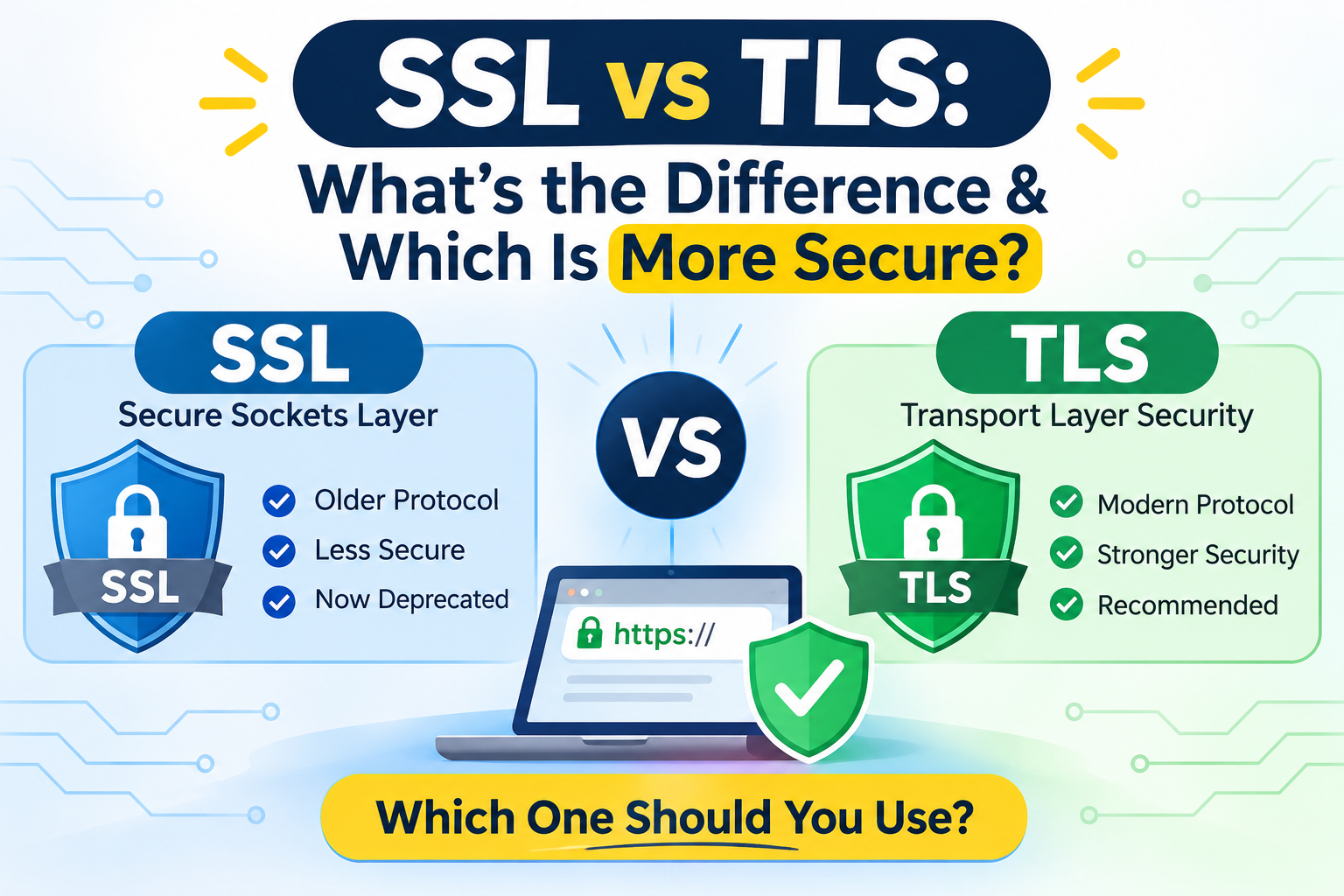
If you have ever looked into securing a website, you have likely run into the terms SSL and TLS—often used interchangeably, sometimes mashed together as “SSL/TLS,” and almost always surrounded by technical jargon.
Both SSL (Secure Sockets Layer) and TLS (Transport Layer Security) are cryptographic protocols designed to encrypt data traveling between a user’s browser and a web server. They are the reason you see the padlock icon and https:// in your browser’s address bar when entering a password or credit card number online.
Here is the short answer to SSL vs TLS: TLS is the modern, secure successor to SSL. While the industry still casually refers to security certificates as “SSL certificates,” actual SSL protocols have been obsolete for years. Every secure website you visit today relies on TLS.
In this guide, we will break down the SSL vs. TLS difference, explain how these protocols protect data behind the scenes, why SSL was retired, and how to check which protocol your website is currently running.
SSL (Secure Sockets Layer) was the original cryptographic protocol developed to establish secure, encrypted links between networked computers. Created by Netscape in the mid-1990s, SSL was designed to solve a massive problem for the early commercial internet: data sent over standard HTTP traveled in plain text, meaning anyone intercepting the connection could read sensitive information like login credentials and payment details.
At a basic level, SSL worked by wrapping internet traffic in encryption and verifying the identity of the server using digital certificates. Before any actual website data was exchanged, the browser and server performed a cryptographic “handshake” to agree on encryption rules and generate secret keys.
SSL went through a few major iterations before its retirement:
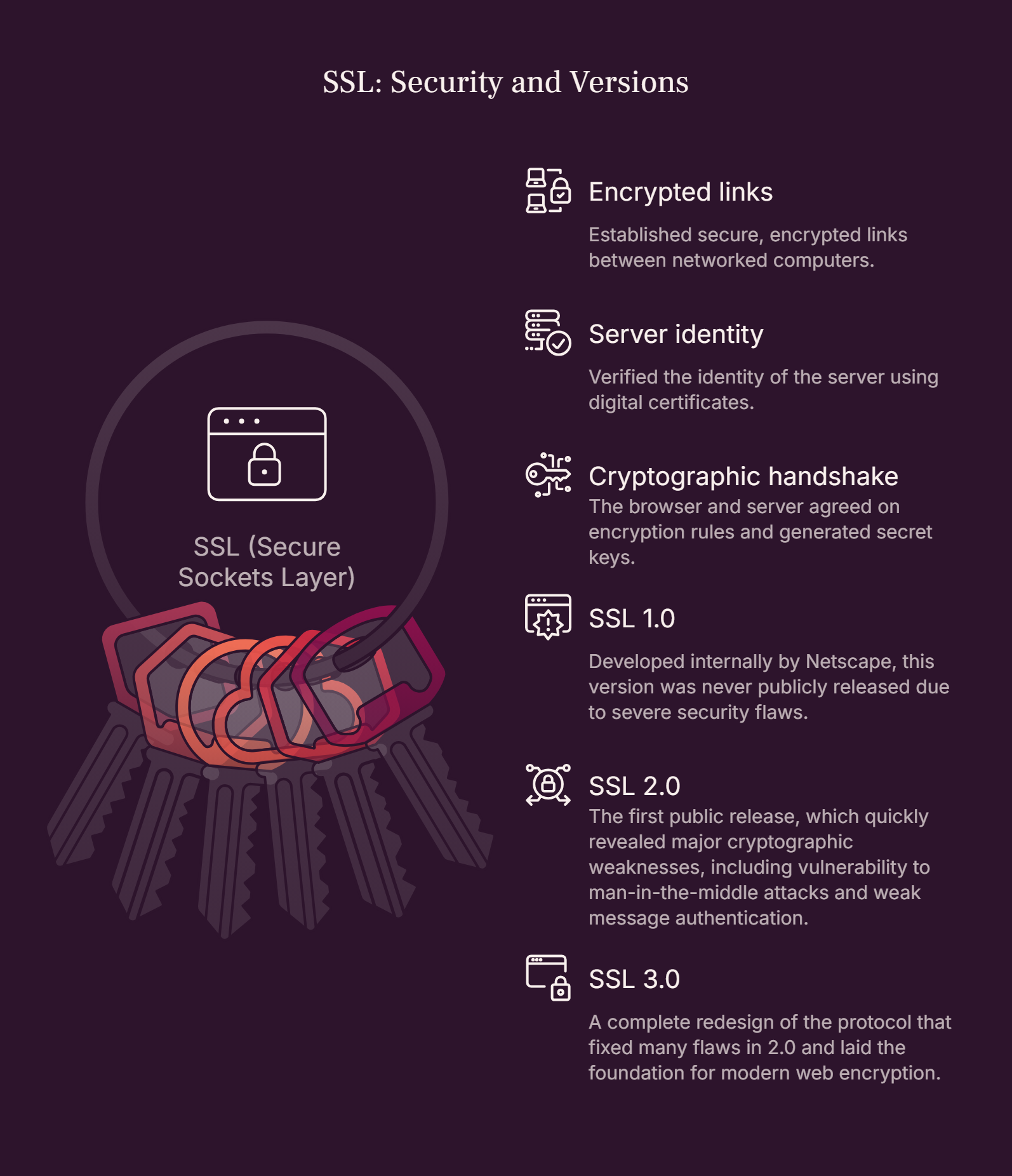
SSL 1.0: Developed internally by Netscape, this version was never publicly released due to severe security flaws.
SSL 2.0 (1995): The first public release, which quickly revealed major cryptographic weaknesses, including vulnerability to man-in-the-middle attacks and weak message authentication.
SSL 3.0 (1996): A complete redesign of the protocol that fixed many flaws in 2.0 and laid the foundation for modern web encryption.
Despite its pioneering role, SSL is now completely outdated and deprecated. Over the years, security researchers uncovered critical vulnerabilities—most famously the POODLE (Padding Oracle On Downgraded Legacy Encryption) attack in 2014—that allowed attackers to break SSL 3.0 encryption. In 2011, the Internet Engineering Task Force (IETF) officially deprecated SSL 2.0, followed by SSL 3.0 in 2015. Today, modern web browsers block connections that attempt to use SSL.
TLS (Transport Layer Security) is the modern cryptographic protocol that provides end-to-end security for data sent over the internet. Introduced in 1999 by the Internet Engineering Task Force (IETF), TLS was developed as an open-standard successor to SSL 3.0.
While TLS built upon the architectural concepts of SSL 3.0, it is a distinct, standalone protocol rather than just a minor update. The name changed from SSL to TLS largely to signal that the protocol was no longer owned by Netscape and was now maintained as an open standard by the IETF.
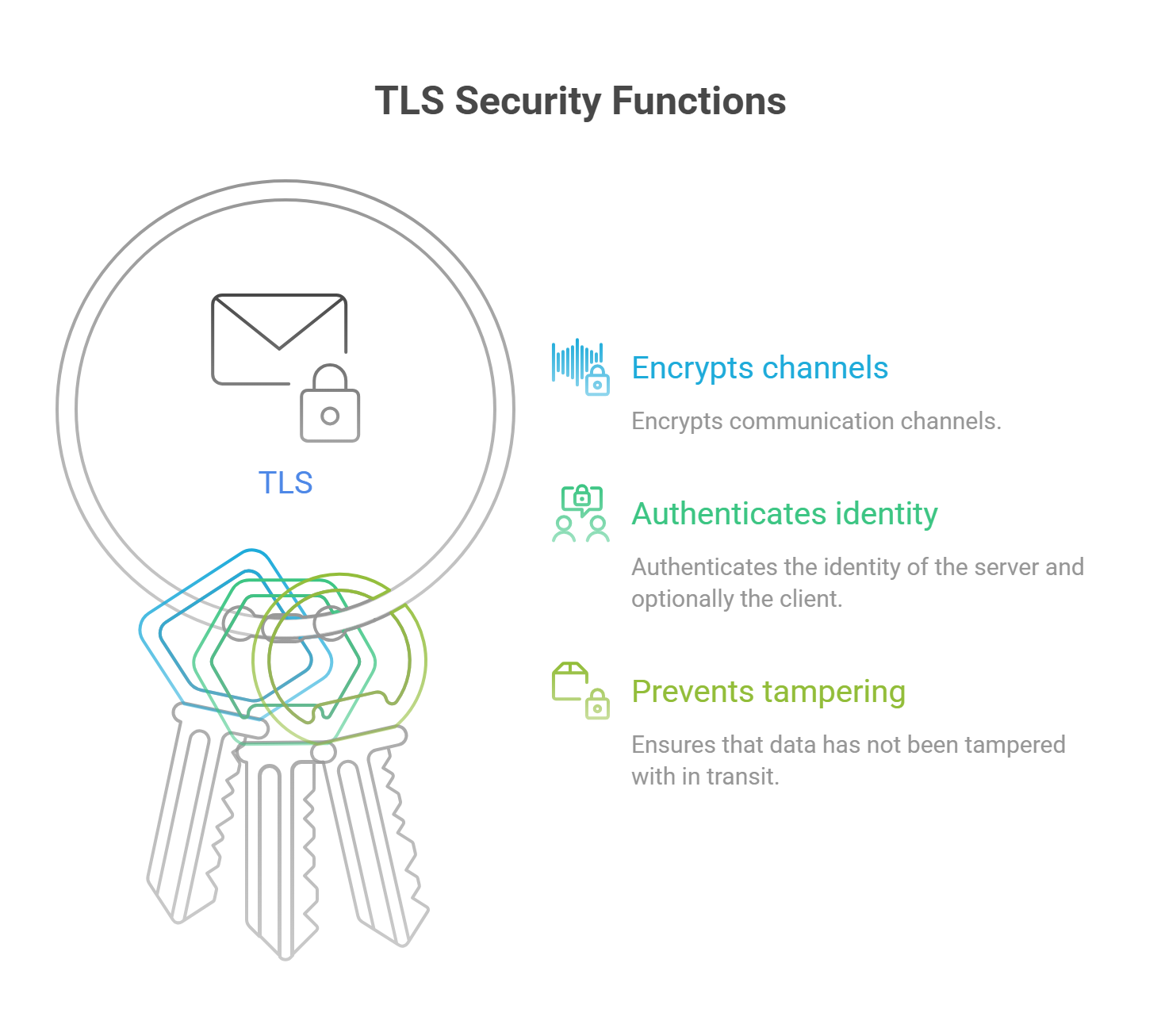
Like SSL, TLS encrypts communication channels, authenticates the identity of the server (and optionally the client), and ensures that data has not been tampered with in transit. However, TLS accomplishes this using far stronger encryption algorithms, a faster and more secure handshake process, and stricter message authentication.
TLS has evolved through four versions to keep pace with advancing computing power and emerging cyber threats:
TLS 1.0 (1999): Essentially an upgraded, standardized version of SSL 3.0. Because it shared structural similarities with SSL, it eventually became vulnerable to attacks like BEAST and was officially deprecated in 2021.
TLS 1.1 (2006): Introduced protections against certain cipher-block chaining (CBC) attacks and improved error handling. Like TLS 1.0, it was officially deprecated in 2021.
TLS 1.2 (2008): A major leap forward that introduced stronger hashing algorithms (like SHA-256), authenticated encryption modes (such as AES-GCM), and greater flexibility in choosing cipher suites. TLS 1.2 remains widely used and secure when properly configured.
TLS 1.3 (2018): The current gold standard for web security. TLS 1.3 stripped away outdated, vulnerable cryptographic algorithms, simplified the handshake process to cut latency in half, and encrypted even more of the initial connection setup.
Today, TLS is the backbone of modern website security—powering everything from HTTPS web browsing and email delivery to instant messaging and APIs.
Understanding how SSL and TLS compare comes down to security, speed, and support in modern browsers. Here is a side-by-side breakdown of the core differences:
| Comparison Factor | SSL (Secure Sockets Layer) | TLS (Transport Layer Security) |
| Full Form | Secure Sockets Layer | Transport Layer Security |
| Developer | Netscape | Internet Engineering Task Force (IETF) |
| Release Year | 1995 (SSL 2.0) | 1999 (TLS 1.0) |
| Security | Outdated and insecure; vulnerable to known exploits | Modern and secure (specifically TLS 1.2 and 1.3) |
| Encryption Algorithms | Uses older, weaker ciphers (e.g., RC4, MD5, SHA-1) | Uses strong, modern ciphers (e.g., AES-GCM, ChaCha20) |
| Handshake Process | Older, multi-step handshake with unencrypted metadata | Streamlined handshake (1-RTT in TLS 1.3) with encrypted certificates |
| Performance | Higher latency due to extra round-trips | Faster page loads and lower connection overhead |
| Message Authentication | Uses basic MAC (Message Authentication Code) | Uses stronger HMAC (Hash-based Message Authentication Code) |
| Current Status | Officially deprecated and blocked by browsers | Actively used across the modern web |
Whether looking at legacy SSL or modern TLS, the fundamental goal is the same: establish a secure, encrypted tunnel between a client (your web browser) and a server (the website) over an insecure network. This happens through a rapid sequence known as the TLS Handshake (historically called the SSL Handshake).
   [Client / Browser]                                  [Web Server]
          |                                                 |
          |  1. ClientHello (TLS version, cipher suites)    |
          | ----------------------------------------------> |
          |                                                 |
          |  2. ServerHello + Digital Certificate           |
          | <---------------------------------------------- |
          |                                                 |
          |  3. Certificate Verification & Key Exchange     |
          | ----------------------------------------------> |
          |                                                 |
          |  4. Session Keys Generated (Symmetric)          |
          | <=============================================> |
          |           Encrypted Data Transmission           |
Here is how the process unfolds in milliseconds every time you load an HTTPS webpage:
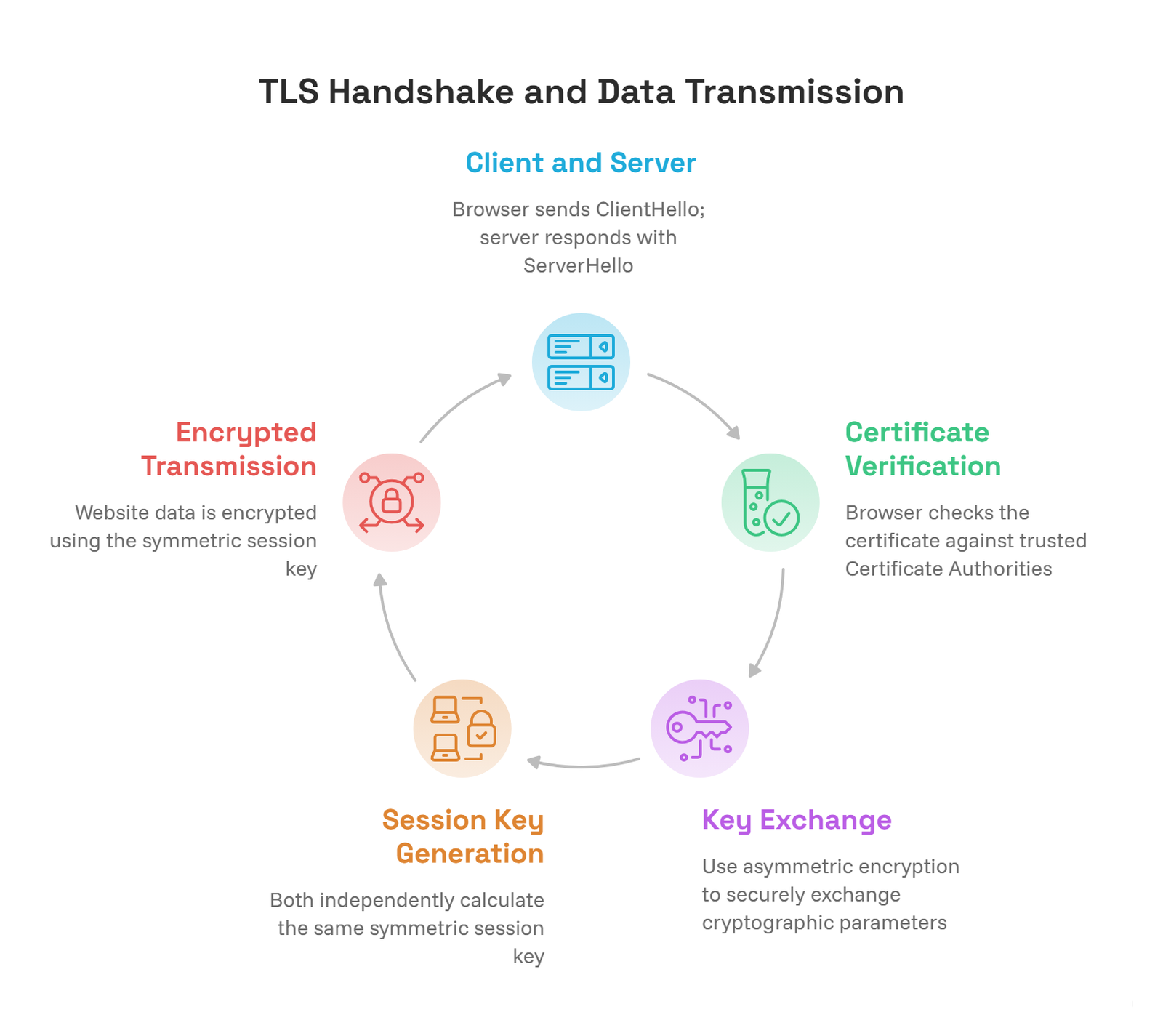
Client and Server Communication (The Hello): Your browser initiates contact by sending a ClientHello message to the web server. This message lists the TLS versions the browser supports, its preferred encryption methods (cipher suites), and a random string of bytes. The server responds with a ServerHello, selecting the highest TLS version and strongest cipher suite both sides support.
Certificate Verification: Along with its response, the server sends its digital certificate to prove it is who it claims to be. Your browser checks this certificate against a built-in list of trusted Certificate Authorities (CAs), verifying that the certificate hasn’t expired, hasn’t been revoked, and matches the domain name you typed in.
Handshake Process & Key Exchange: Once the server’s identity is trusted, the browser and server use asymmetric encryption (a public key and a private key) to securely exchange cryptographic parameters without exposing them to eavesdroppers.
Session Key Generation: Using those exchanged parameters, both the browser and the server independently calculate the exact same symmetric session key. Symmetric encryption uses a single shared key for both encrypting and decrypting data, which is vastly faster than asymmetric encryption.
Encrypted Data Transmission: With the handshake complete, all actual website data—form submissions, API calls, images, and text—is encrypted using the symmetric session key. Even if a hacker intercepts the traffic, it appears as unreadable scrambled text.
When evaluating SSL vs TLS security, TLS wins by every conceivable metric. SSL is not merely “less secure”—it is actively unsafe to use on the modern internet.
Older SSL versions suffer from fundamental design flaws that modern computers can exploit in seconds:
Weak Cipher Suites: SSL relied on algorithms like RC4 and MD5, which have been mathematically broken. Attackers can forge signatures or decrypt traffic using off-the-shelf tools.
Protocol Downgrade Attacks: Vulnerabilities like POODLE and DROWN allowed attackers to trick servers and browsers into falling back from newer protocols to SSL 3.0 or SSL 2.0, stripping away modern protections.
Exposed Handshake Data: SSL left large portions of the handshake unencrypted, leaking metadata about the connection.
TLS 1.2 and TLS 1.3 directly eliminate these weaknesses:
Forward Secrecy: Modern TLS enforces Perfect Forward Secrecy (PFS) using ephemeral Diffie-Hellman key exchanges. Even if an attacker steals a server’s private key in the future, they cannot use it to decrypt past recorded traffic.
Removal of Legacy Code: TLS 1.3 permanently removed support for weak ciphers, compression (which caused the CRIME attack), and static RSA key exchanges. There is no way to “downgrade” a TLS 1.3 session to an insecure cipher.
Faster, Safer Handshakes: TLS 1.3 cuts the handshake down to a single round-trip (1-RTT), encrypting the server certificate during transit so network observers cannot even see which certificate is being served.
One of the most common points of confusion in web security is the TLS vs SSL certificate debate. If SSL is dead, why do hosting companies and Certificate Authorities still sell “SSL certificates”?
The short answer: There is no functional difference between an SSL certificate and a TLS certificate. They are the exact same file.
A digital certificate doesn’t actually contain the SSL or TLS protocol itself. Instead, it is an X.509 data file installed on your server that contains:
Your domain name
Your organization’s verified identity (if applicable)
Your server’s public key
The digital signature of the issuing Certificate Authority
The actual protocol used during a connection is determined by your web server configuration (like Apache, Nginx, or Cloudflare) and the visitor’s web browser—not by the certificate file. If your server is configured to run TLS 1.2 and TLS 1.3, your “SSL certificate” automatically works with TLS.
If you are new to how these certificates are issued and validated, check out our guide on What Is an SSL Certificate? A Beginner’s Guide for a deeper look at certificate types and validation levels.
Providers continue to use the term “SSL certificate” purely out of habit and search demand. Because website owners have searched for “buy SSL certificate” for nearly three decades, hosting companies keep the legacy label—often writing “SSL/TLS certificate” to stay technically accurate while still matching what customers type into search engines.
You do not need deep server administration skills to verify which protocol your website uses. You can check in under a minute using built-in browser tools or free online scanners.
Open your website in Google Chrome, Firefox, Edge, or Safari. Look at the left side of the address bar:
If you see a padlock icon (or a tune/settings icon in newer Chrome versions) and your URL begins with https://, your connection is encrypted.
If your browser displays a “Not Secure” warning, your site is either lacking a valid certificate or attempting to use an outdated protocol.
In Google Chrome:
Click the icon to the left of your URL in the address bar.
Select Connection is secure > Certificate is valid.
Alternatively, press F12 (or Cmd + Option + I on Mac) to open Chrome DevTools, click the Security tab, and reload the page. Under the “Connection” section, Chrome will explicitly state the exact protocol in use—for example: “The connection to this site is encrypted and authenticated using TLS 1.3.”
Inspecting in your browser only tells you what your device negotiated. To see every protocol your server supports (including outdated ones you might have left enabled by accident), run your domain through the Qualys SSL Labs Server Test.
Enter your domain name, wait about 60 seconds for the scan to finish, and scroll down to the Configuration > Protocols section. It will give you a clear breakdown showing whether SSL 2.0, SSL 3.0, TLS 1.0, TLS 1.1, TLS 1.2, and TLS 1.3 are enabled or disabled on your server.
If your server still has SSL 2.0, SSL 3.0, TLS 1.0, or TLS 1.1 enabled, upgrading to modern TLS is mandatory, not optional.
Running deprecated protocols exposes your website and visitors to severe risks:
Browser Warnings: Every major browser—including Chrome, Safari, Firefox, and Edge—blocks connections using SSL or TLS 1.0/1.1, displaying full-screen security warnings that drive visitors away immediately.
Compliance Violations: Industry standards like PCI-DSS (required for any site processing credit card payments) strictly prohibit SSL and early TLS versions. Leaving them active can result in compliance failures and fines.
SEO Penalties: Google uses HTTPS and modern security practices as ranking signals. Broken or insecure connections hurt user experience metrics and search visibility.
To keep your website fast, secure, and compatible with virtually every device on the internet, configure your web server or CDN (such as Cloudflare, AWS, or Fastly) with these settings:
Enable TLS 1.3 as your primary, preferred protocol for maximum speed and security.
Enable TLS 1.2 as a fallback to maintain compatibility with slightly older devices and software clients.
Disable SSL 2.0, SSL 3.0, TLS 1.0, and TLS 1.1 completely.
Keep server software updated: Ensure your operating system, web server (Nginx, Apache, IIS), and cryptographic libraries (like OpenSSL) receive regular security patches.
When comparing SSL vs TLS, the distinction comes down to legacy history versus modern web security. SSL laid the groundwork for safe online commerce in the 1990s, while TLS stepped in as its stronger, faster, and more resilient successor.
Even though the industry still holds onto the phrase “SSL certificate,” actual SSL protocols belong in the past. To protect your visitors, maintain browser trust, and keep your site running at peak performance, make sure your server disables all legacy protocols and runs exclusively on TLS 1.2 and TLS 1.3.